
A closet organizer app sounds like a big project, but the useful version is small. You photograph what you wear, sort it so you can find it, and stop buying a fifth black top you forgot you owned. This post takes one angle: how to choose and start a closet organizer app on an iPhone without cataloguing every sock. You will see what to look for before you install anything, how to pick your first ten pieces, and how to tell after one week whether the habit is working. The advice fits a rainy Monday when you are rushing, and a quiet Sunday when you have time to sort. Nothing here asks you to empty your drawers onto the bed. Start with the clothes you actually reach for, and let the rest wait until the habit has proved itself.
Decide what job the app must do
Before you install anything, decide what job you want done. A closet organizer app can help in three ways: it shows everything you own in one place, it lets you filter by type or colour, and it helps you see what goes together. If an app only stores pictures, you have swapped a messy closet for a messy camera roll.
Try a quick test. Think of the last morning you stood in front of your closet feeling stuck. What would have helped? Maybe you wanted to see every jacket side by side, or check whether the green skirt works with anything else you own. Write that one problem down, because it becomes your yardstick. An app that solves it is worth your time, and one that does not is just another icon on your phone. Then check the basics. Does it let you add clothes quickly from photos? Can you correct what it records about each piece? A tool that makes you retype every detail will lose you by Wednesday, since typing 'blue striped shirt, cotton' for each item is a chore that rarely survives the first weekend. It also helps to ask whether you can search later, because a closet you cannot search is only a prettier pile.
Pick your first ten pieces
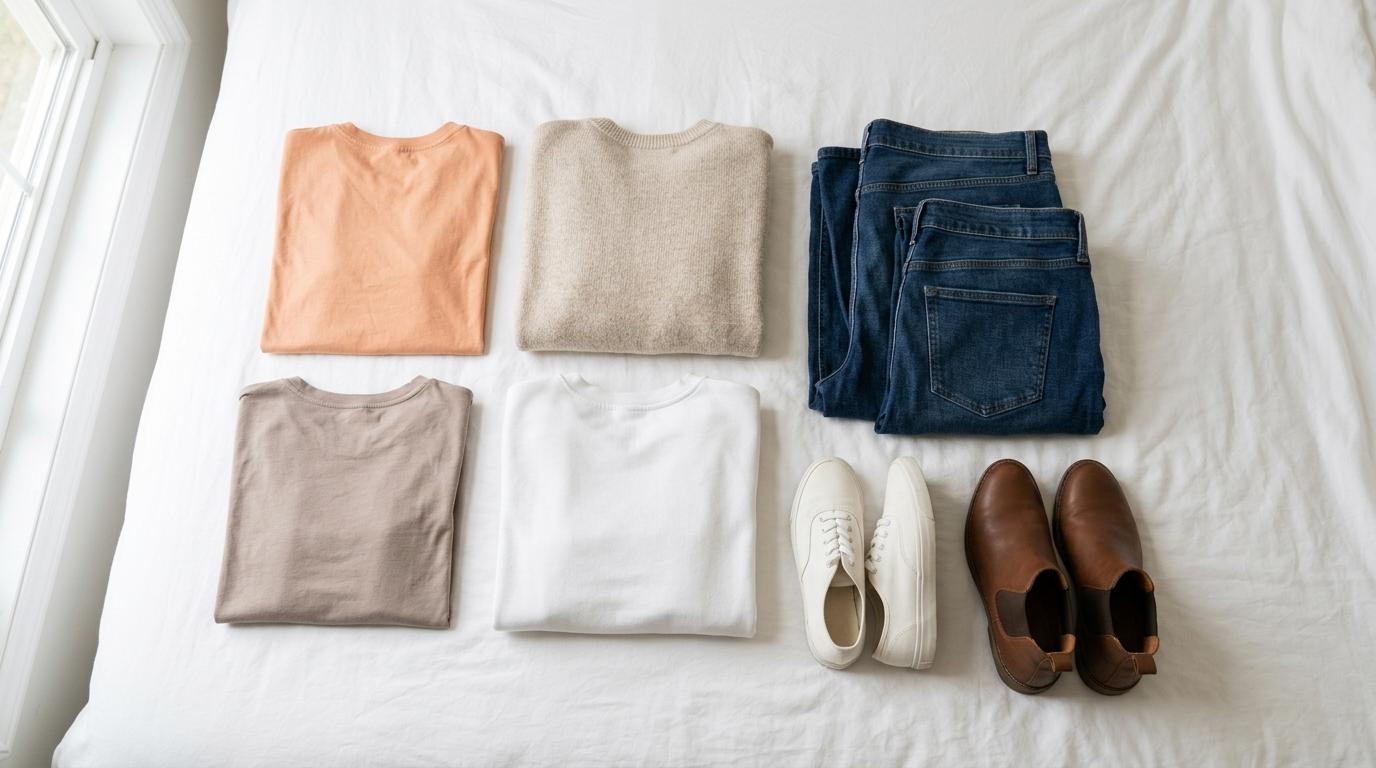
Do not photograph the whole closet on day one. That is how people burn out by the second shelf. Start with ten pieces, a number small enough to finish in a single evening and big enough to show whether the habit suits you. Choose clothes you really wear, not the hopeful jeans from three years ago. Here is a mix that covers a normal week:
- Your three most-worn tops.
- Two pairs of trousers or jeans.
- One jacket or coat for the weather you face most often.
- Two pairs of shoes you walk in every week.
- Two pieces you love but rarely wear.
Notice how fast this goes. Ten pieces usually means a short stack on the bed, a few minutes of photos, and a quick look at how the app handled them. If you enjoy it, add more tomorrow. If you hate it, you have lost an evening, not a weekend. Either answer teaches you something about whether this kind of tool fits the way you get dressed. A rainy Monday commute is a good moment to check: did the ten pieces make getting ready faster, or did you ignore the phone and grab the usual coat?
Photograph clothes so they sort easily
Good photos make organizing easier later. Use daylight near a window, and lay each item flat on a plain bed sheet or hang it on a door. One item per photo keeps things simple, since a pile of three shirts is hard to sort into a category. Smooth out wrinkles, and keep the sleeves inside the frame so the shape is clear. Shoes look best as a pair seen from above, with the laces tucked in.
Think about what you want to see when you scroll. A black top and a black knit can look alike at thumbnail size, so a photo that shows the neckline or the texture helps you tell them apart. Some apps tag pieces by category, colour and season for you. If yours does, scan those tags once and fix the odd mistake, because a wrongly tagged coat will hide in the wrong search. If you must type labels yourself, keep them short: the type, the colour, and the season you wear it. Consistency matters more than detail, and a plain label you will actually use beats a clever one you forget.
Run a one-week test
A closet organizer app only pays off if it fits into your week. Here is a simple routine that asks for a few minutes a day rather than one heroic afternoon.
- Sunday evening: add your first ten pieces and fix any wrong tags.
- Monday: check the weather, open the app, and choose an outfit from it before you reach into the closet.
- Tuesday: add one new piece that you wore on Monday.
- Wednesday: look for a piece you have not touched, and decide whether it stays.
- Thursday and Friday: repeat Monday and note how long getting dressed took.
- Next Sunday: write down which days the app saved you time and which days you ignored it.
After a week, ask two plain questions. Did you find things faster? Did you wear something you had forgotten? If both answers are yes, keep going and add one shelf at a time. If neither is, the problem may be the tool or the routine, and it is fine to change either one. Honest results beat a perfect catalogue that nobody opens.
One way to do it on an iPhone
If you have an iPhone, one way to follow this plan is Lookify, an AI wardrobe and outfit app. You add clothes by taking a photo or picking pictures from your gallery, and the AI can also pull individual pieces out of an outfit photo. It removes the background from each item and tags it with details such as category, colour, style and season, and you can edit those tags afterwards. Your pieces then sit in a digital wardrobe that you can browse, filter and search.
The free plan is a fair match for the ten-piece test. It includes up to 10 wardrobe items, 2 AI extractions per month, 3 outfit generations per month and 5 Style Assistant messages per month, so plan which pieces you add first. Paid plans lift the item cap, and prices are shown in the App Store in your local currency. Once the pieces are in, you can pick an occasion such as Work or Date Night, and the app builds outfits from clothes you already own, so nothing new needs buying. It is for iPhone only for now, with no Android version yet. When you are ready, get the app on the App Store and begin with your ten pieces.
Frequently asked questions
Do I need to photograph my whole closet first?
No. A smaller start works better for most people. Pick ten pieces you wear often, add them in one evening, and see whether opening your phone before getting dressed feels natural. Once the habit sticks, add clothes a shelf at a time, so the job never turns into a weekend you dread.
Is there a closet organizer app for Android?
The app described in this post is for iPhone, and there is no Android version yet. If you use Android, you could still try the routine with your phone's photo albums, sorting pictures into albums by type and colour, which gives you a basic version of the same habit.
How much does a closet organizer app cost?
For the app in this post, downloading is free, and there is a free plan with limits plus optional paid plans called Essential and Ultimate. Exact prices vary by country and are listed on the store page, so check there before you subscribe. You can cancel through your Apple account settings.
What if the tags on my clothes are wrong?
Mistakes can happen when a photo is dark or an item is folded oddly. Open the item and fix the category or colour, then retake the picture in daylight if needed. Correcting a few tags early keeps your searches useful later on, and it only takes a moment per piece.