
You probably have a phone full of outfit photos and a closet that never quite matches them. A virtual closet app for iPhone promises to fix that, but the choice gets easier when you test it on a small scale first. This post takes one angle: a ten-piece trial closet that shows you, in a single evening, whether an app suits the way you really dress.
You do not need to photograph everything you own. You only need a handful of pieces that you actually wear, some daylight and about an hour. By the end you will know what to look for before you install, how to set up your first items, and how to judge the outfits you get back. Think of it as a fitting room for the app itself, with no pressure to commit to anything.
What a virtual closet app should do for you
Before you install anything, decide what job you want the app to do. Most people want one of three things: to see everything they own in one place, to get outfit ideas from those same clothes, or to stop buying duplicates. A good app should handle the first two without much effort from you. Picture a rainy Monday morning. You are standing at the wardrobe with ten minutes to spare, and you want an answer, not a project. If the app asks for an hour of setup each time you open it, you will drop it by Friday.
It also helps to notice how much typing you are willing to do. Entering a category and colour for every shirt gets old fast, so watch how much work each photo takes. Notice too whether you can fix a label by hand, since no tool reads every garment perfectly. Finally, keep your expectations modest, so the trial stays honest and nothing surprises you halfway through. A short written list of your own needs makes that easier to judge afterwards.
- Quick ways to add items from your camera or gallery
- Labels that you can edit afterwards
- Outfits built from your own clothes
- A low-risk way to try it before you pay
Pick your ten-piece trial closet
One free plan you may meet holds up to 10 wardrobe items, which happens to be a sensible size for a trial. Treat that limit as part of the experiment rather than a hurdle. Ten pieces force you to choose the clothes you truly reach for, and that gives any app a fair test. A closet of forgotten gifts and impulse buys would only produce odd results.
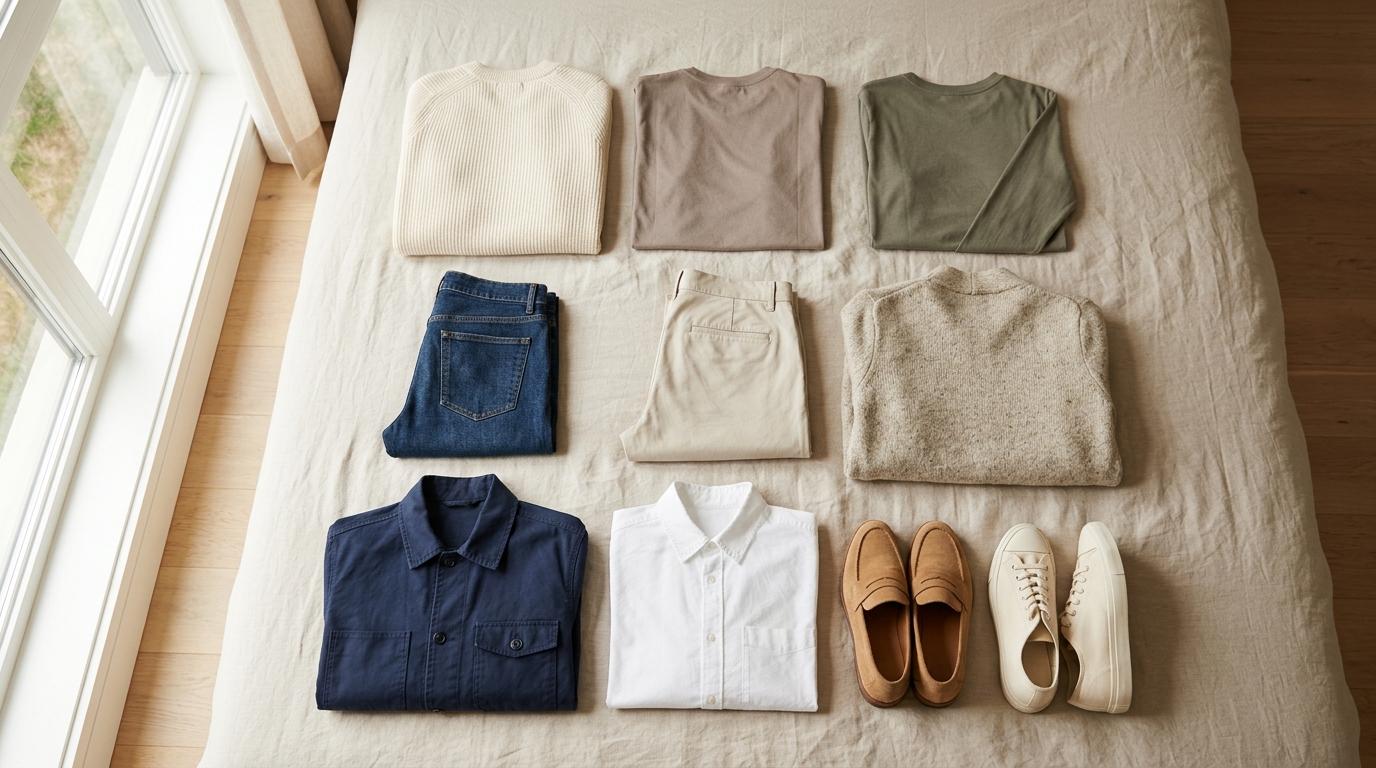
Aim for a spread that could make real outfits. Try three tops, two bottoms, one layer, one pair of shoes, and three more pieces that you wear often, such as a dress, a second jacket or a bag. Choose items you would put on this week, not the ones you plan to wear someday. If your closet is full of black tops, include a couple, because similar items show you quickly how the app copes with near matches. Leave out party clothes and rarely worn extras for now, since they can wait until the trial is over.
- Pull out everything you wore in the last two weeks and lay it on the bed.
- Set aside anything that does not fit or that you avoid.
- Keep the 10 pieces you grab most often.
- Check that the group holds at least one top, one bottom and one layer.
Photograph your pieces so the app can read them
Good input makes good output. Lay each piece flat on a plain sheet, or hang it on a door in daylight, and shoot from straight above or straight on. A plain backdrop helps the AI separate the garment from the clutter around it. Avoid piles, harsh shadows and mirror selfies where the item is half hidden. If you already have outfit photos on your phone, you can pick them from your gallery, and the AI can pull single items out of an outfit picture.
After each upload, read the automatic tags. The app labels items by category, colour, style and season, and you can change anything that looks off. A navy coat tagged as black is a small fix, and it is better to correct it now than to wonder later why an outfit looks strange. The free plan includes 2 AI extractions per month, so give them to your two most useful pieces and see how clean the result looks. Save the trickier items, like a patterned scarf or a dark coat, for a second pass once you know how the process feels.
- Daylight, with no flash
- One item per photo
- A plain wall or sheet behind it
- A quick check of the colour and category tags
Judge the first outfits with a simple checklist
Now ask for outfits. You pick an occasion, such as Everyday, Work or Date Night, and the app builds complete looks from the pieces you added. The free plan includes 3 outfit generations per month, so choose your requests with care. A good first test is the least glamorous one: an ordinary workday where the weather might change, since the app can take weather into account.
Do not expect every result to be a winner. You are looking for signs that the app understood your closet, not for perfection. If an outfit pairs pieces you would never put together, ask why. Perhaps a tag was wrong, or ten items simply gave it little to work with. Results are also shaped by the style preferences in your profile, so set your favourite styles and colours before you judge anything. It helps to jot down a few notes as you go, because first impressions fade quickly. A weekend trip with one carry-on bag is another good scenario, since it tests how well the pieces mix and match with each other.
- Would I wear this tomorrow, with one small change?
- Does every piece in it match its photo and its tags?
- Does it suit the occasion I chose?
- Did it show me a pairing I had not tried?
Decide whether to keep going
After the trial, look back at your answers. If you found at least one outfit you would really wear and the setup felt light, the app has earned a longer try. If setup felt like a chore, a plain photo album of your clothes may suit you better. Either result is useful, and you will have spent one evening instead of a month finding out. Write down the one thing that annoyed you most and the one thing that pleased you most. Those two notes will guide your next step better than any feature list, whether you stay with the app, try another, or simply tidy your own closet by hand.
If you want an iPhone app for this, you can get the app on the App Store and run the same ten-piece test. Lookify is an AI wardrobe app that builds a digital version of your closet and creates outfits from the clothes you own. It is free to download, and the optional paid plans, Essential and Ultimate, remove the item cap if you decide to keep going. Prices are shown in the App Store in your local currency, so check there before you choose. Keep the same ten pieces as your yardstick for any other app you try later.
Frequently asked questions
Is there a free virtual closet app for iPhone?
Yes, some apps are free to download and offer a free plan with limits. Before you commit, look at how many items you can add and how many outfits you can generate each month. A small free plan is still enough for an honest trial with your most-worn clothes.
How many clothes should I add first?
Start with around ten pieces that you wear often, covering tops, bottoms, a layer and shoes. A small group is quick to photograph and gives you a fast read on whether the app suits you. You can always add more later, once you trust how it labels and combines things.
Does the app work on Android or in a browser?
It is an iPhone app, and there is no Android version yet. You can find it on the Apple App Store, so an iPhone is what you need to use it. If you plan to switch phones later, it is worth keeping that in mind before you build a big digital closet.
How do subscriptions and cancelling work?
Paid plans are billed and managed through the Apple App Store. If you want to stop, you can cancel in your Apple account settings. A free trial is offered only to people who are eligible for one, and exact prices appear in the App Store for your country.